DNS : The Internet’s Hidden Phonebook

Imagine you’re trying to call your friend. You don’t memorize their 10-digit phone number. Instead, you save their name in your phone.
The Internet works similarly. Behind every catchy website name like google.com lies a complex system of numbers. This magic translator is called the Domain Name System (DNS), and it’s what makes the Internet user-friendly.
Without DNS, we’d be typing strings like 93.184.216.34 instead of google.com. Let’s dive into the world of DNS and see how it simplifies our online experience.
DNS is often called the "phonebook of the Internet". Its job is simple yet crucial, translating human-readable domain names into machine-readable IP addresses.
When you type www.google.com, DNS transforms it into an IP address like 93.184.216.34 so your browser can fetch the webpage.

Imagine the chaos without DNS. It’s like having to memorize every phone number in your contacts!
But how does this magic actually work?
This process, called DNS resolution, involves a step-by-step journey through the DNS hierarchy. Here's how it works:


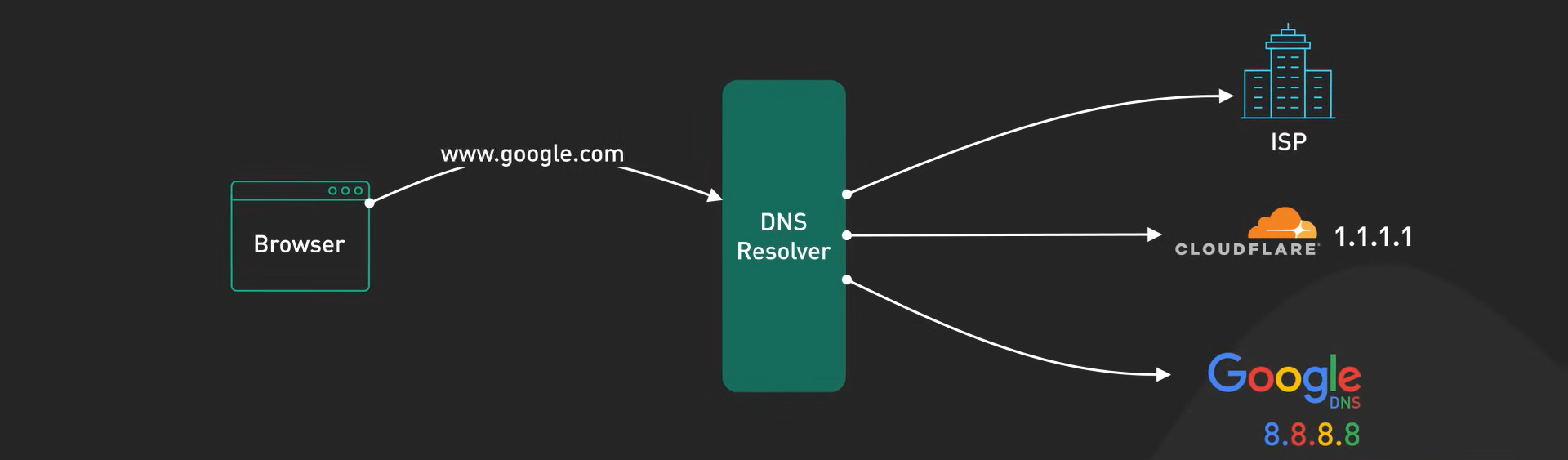
Root Servers: The Gatekeepers
When you type www.google.com, your browser first contacts one of the 13 root server systems. These aren’t just 13 individual machines but vast, distributed networks of servers spread across the globe using Anycast technology.
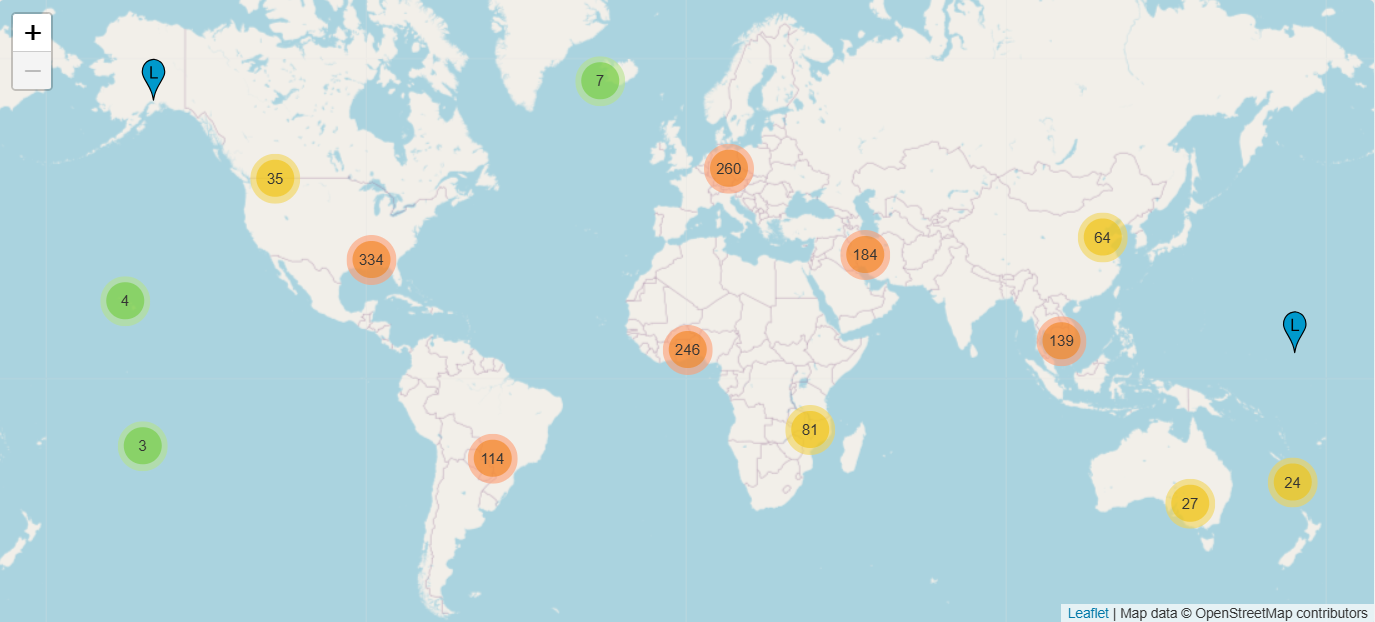
This technology ensures that your device connects to the geographically closest root server, reducing latency and speeding up the resolution process.
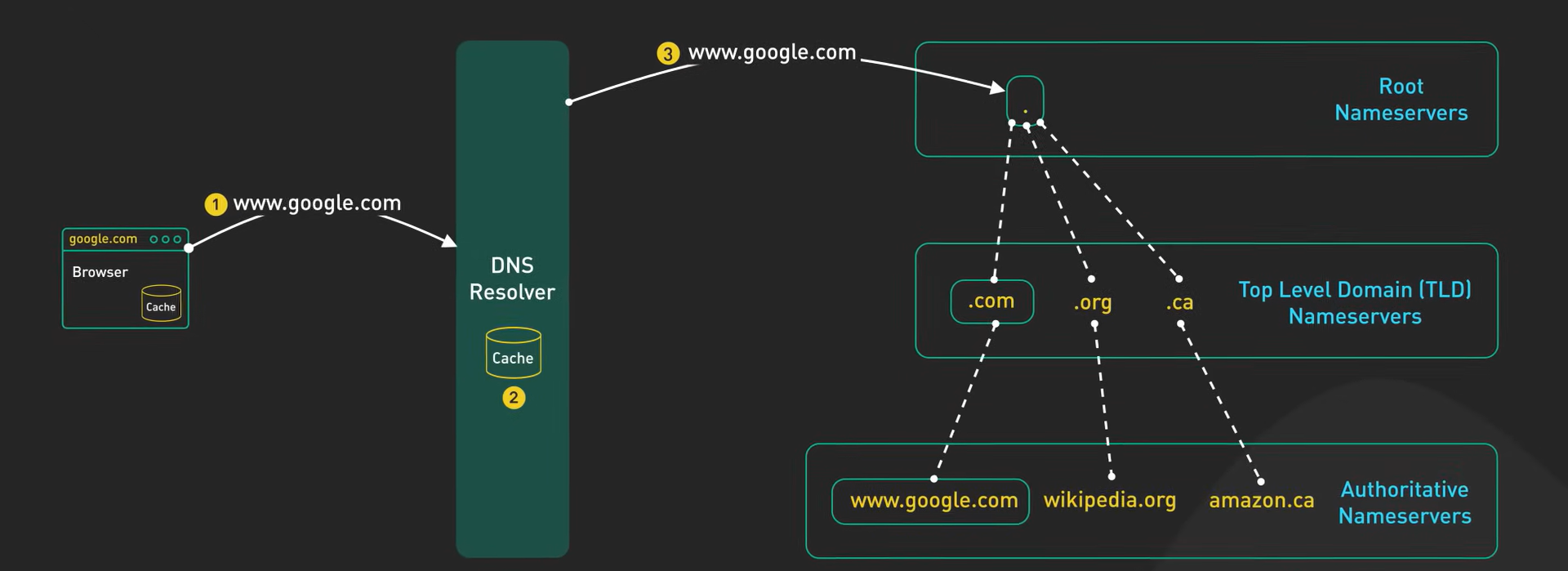
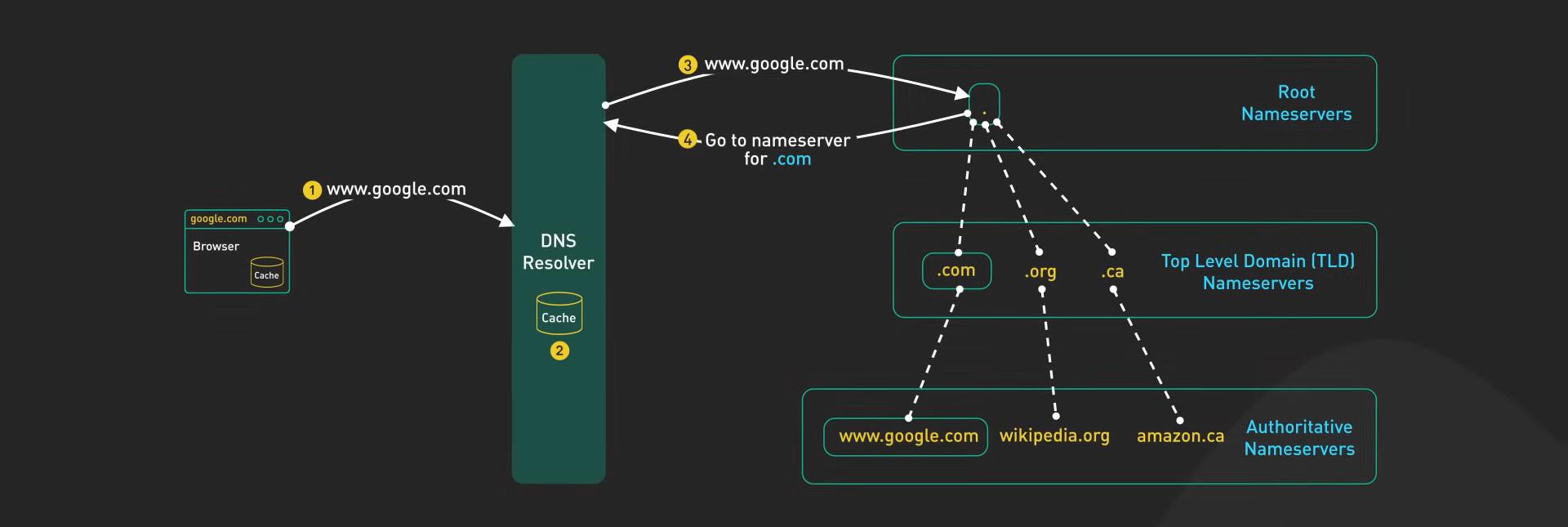
Think of it as asking a librarian for the location of a specific book section.
TLD Servers: The Specialists
Root servers point you to the Top-Level Domain (TLD) server for .com, .org, or any other extension.
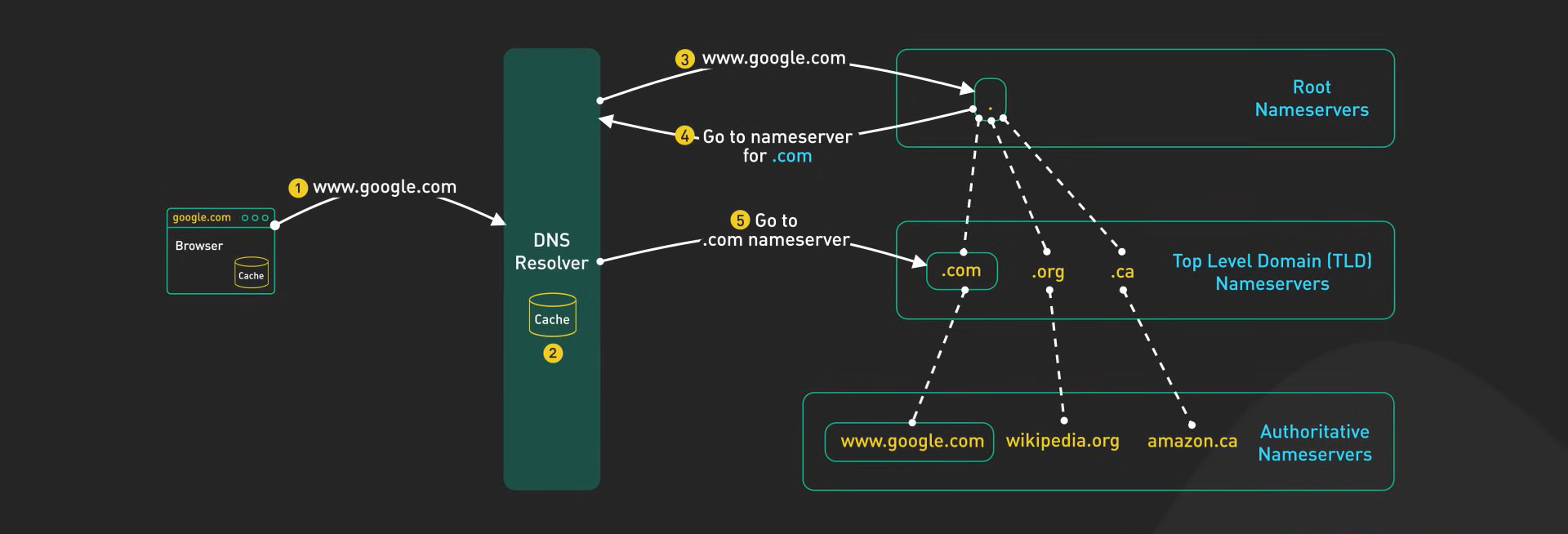
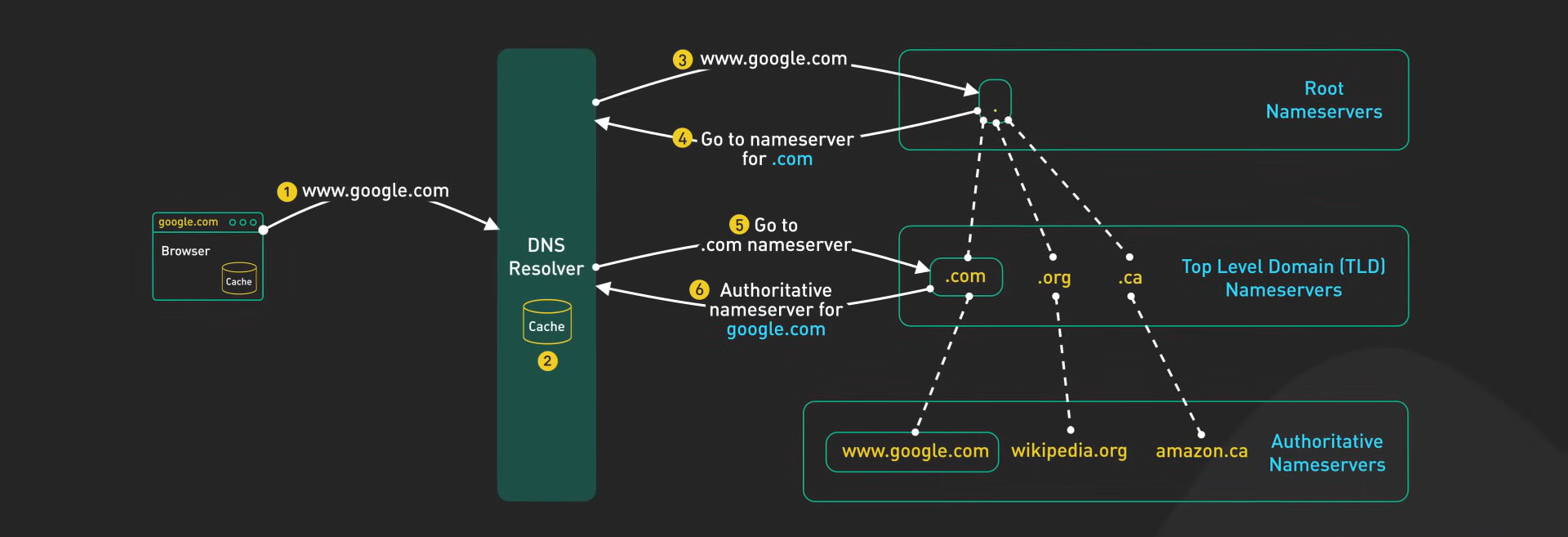
It’s like finding the right aisle in a library.
Authoritative Servers: The Experts
TLD servers send you to the authoritative server, which holds the exact IP address for the domain.
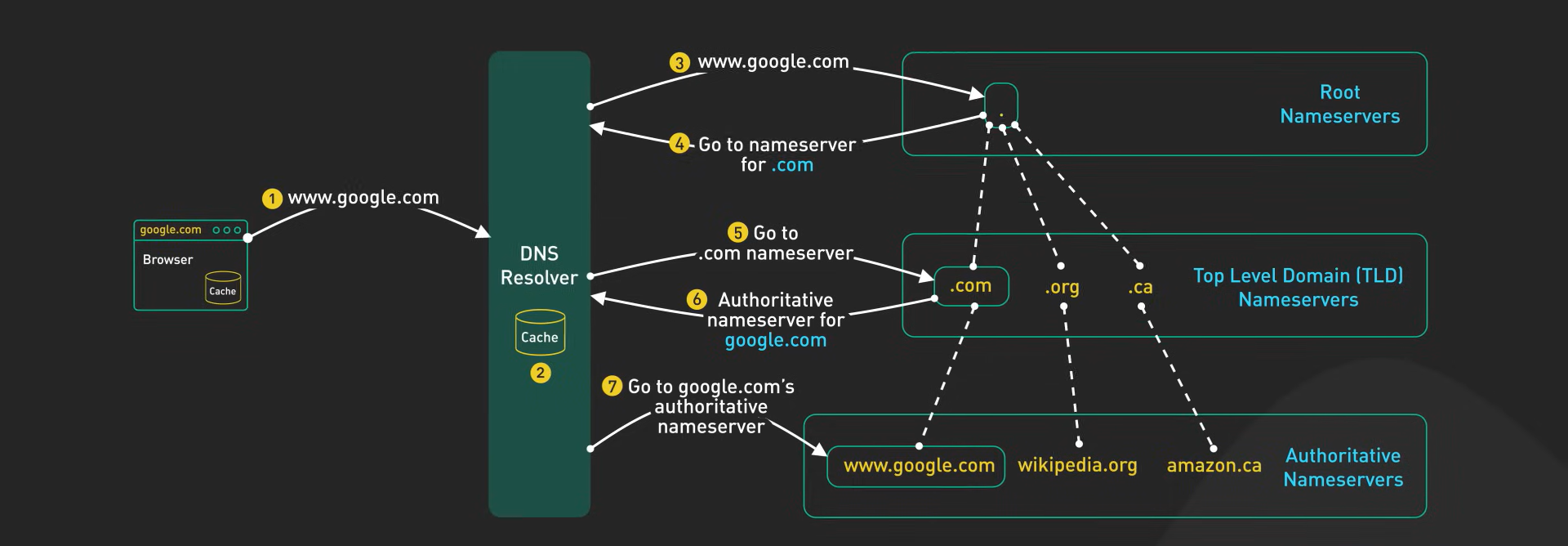
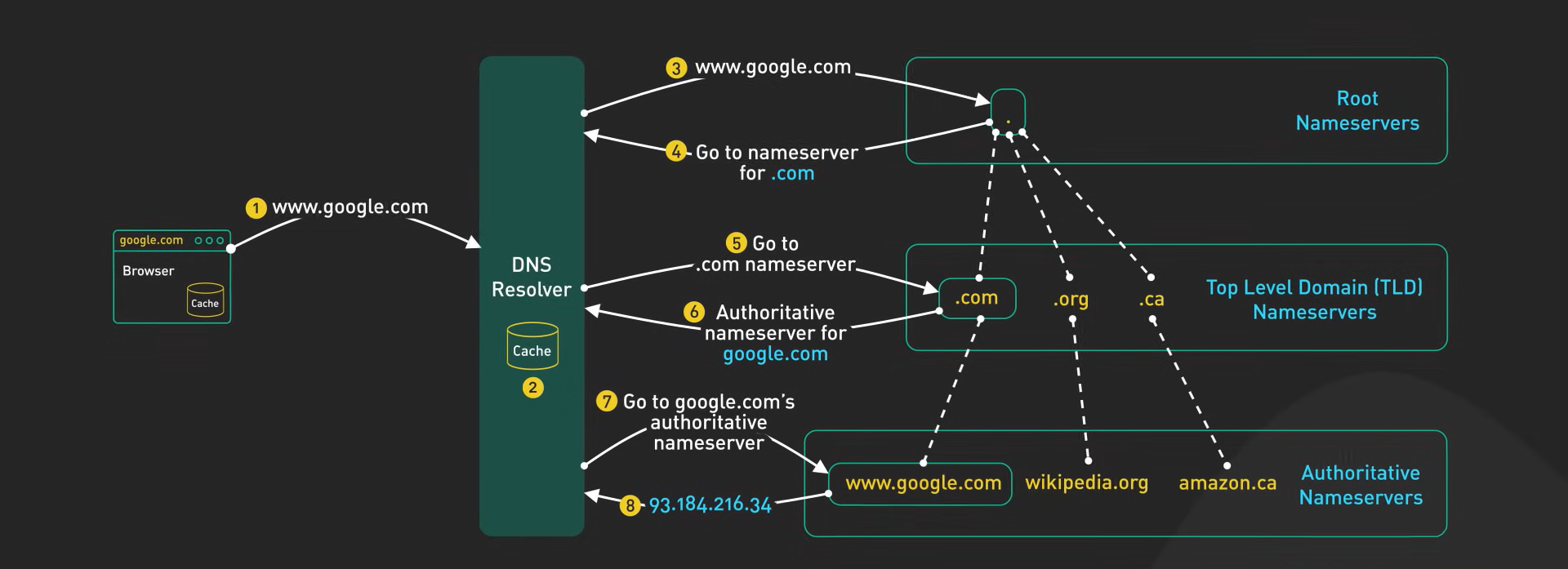
This is the final stop, the expert who gives you the precise information.
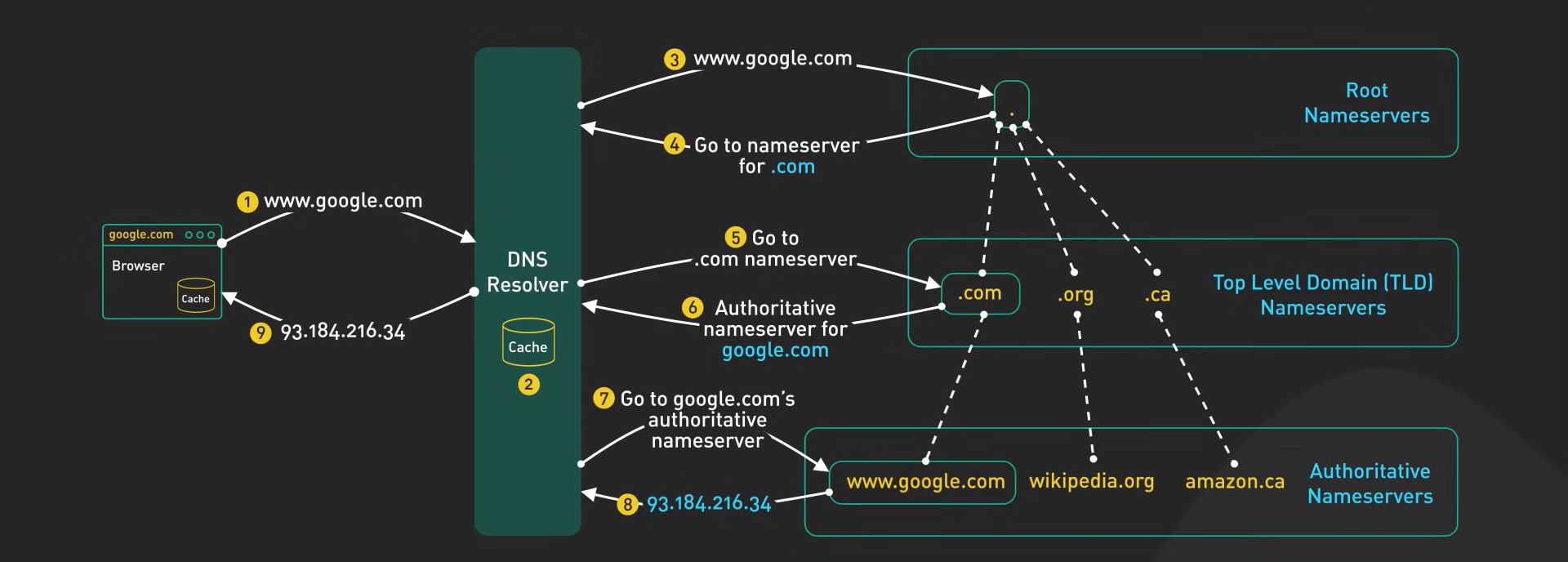
How the Closest Root Server Is Accessed?
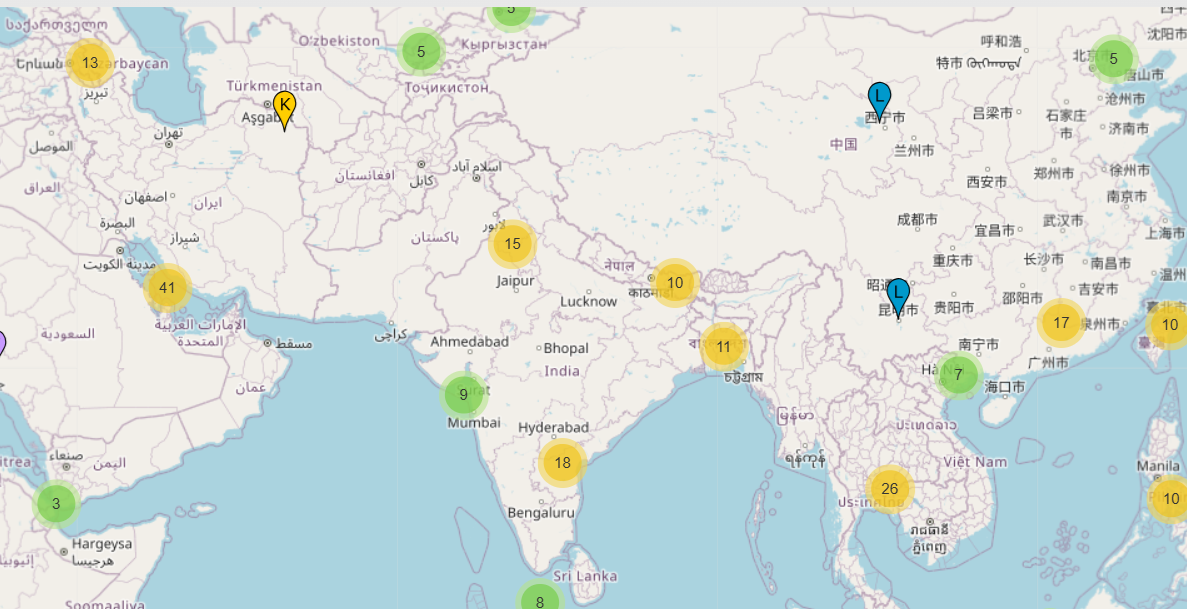
When your device sends a DNS query, it uses Anycast routing to locate the nearest root server. This means the query is automatically directed to the server with the shortest network distance, ensuring minimal delay.
For example, if you’re in India, your query might go to a root server instance in Asia rather than one in North America.
Conclusion
By leveraging the 13 globally distributed root server systems and Anycast routing, DNS ensures that queries are resolved quickly, regardless of where you are.
This seamless interaction between root servers, TLD servers, and authoritative servers forms the backbone of how the Internet delivers content to your browser in milliseconds.